Home freezer inventory
Freezer.
Keep track of what you froze, which drawer it is in and how many portions are left.
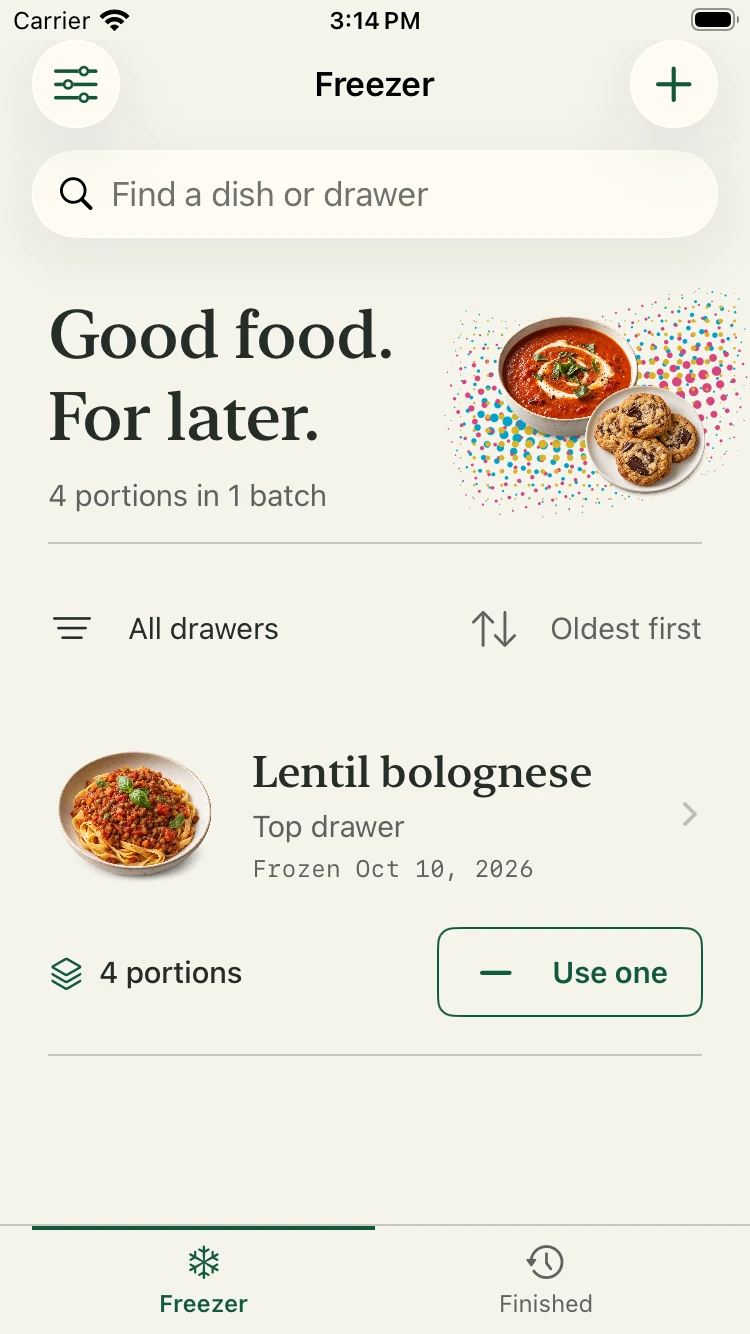
What is in the freezer,
and how much is left.
What it is
Freezer is an iPhone app for people who cook in batches. Each batch you freeze gets an entry with its name, a photo, the drawer it is in, the date and the number of portions.
When you take a portion out, you tap once. When a batch runs out it moves to a finished list, ready to repeat the next time you cook it.
What it does
- Search
- Search by dish, drawer or note. Filter by drawer and sort by the date frozen.
- Portions
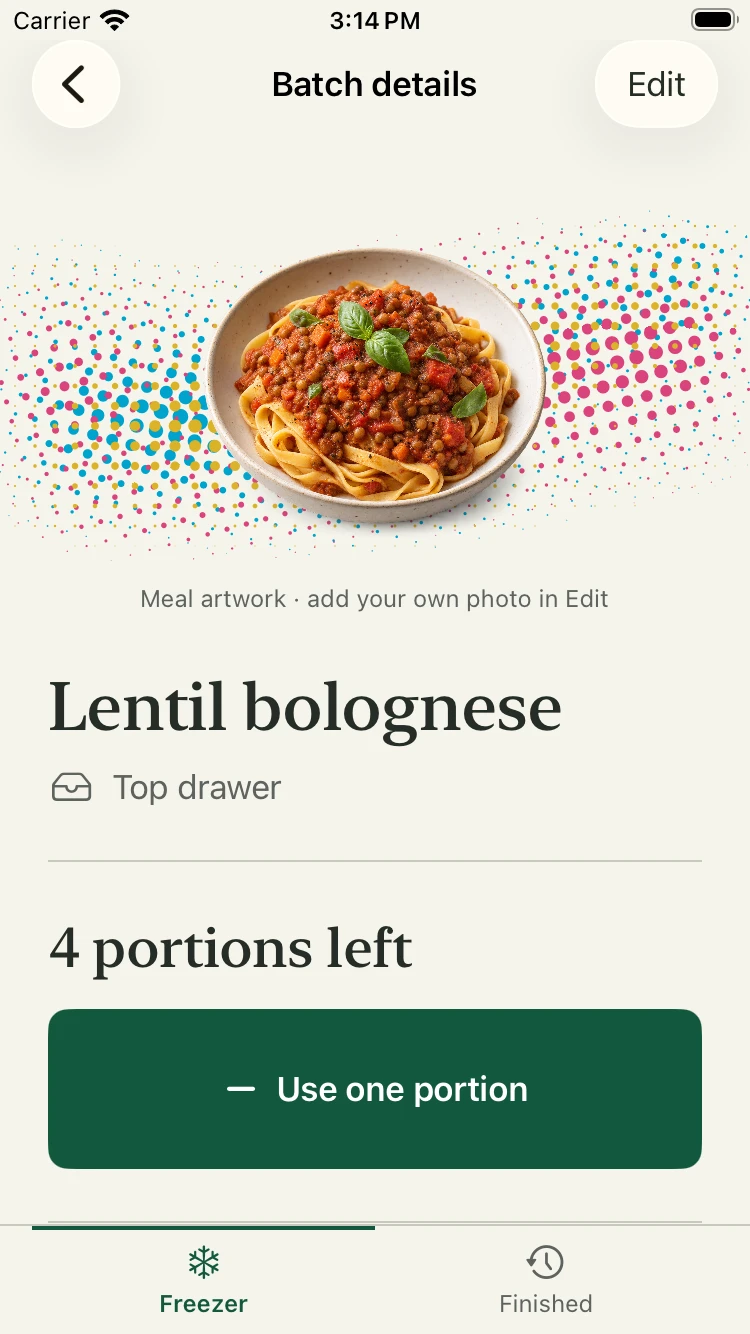
- Use a portion with one tap and undo a mistake. Finished batches are kept in their own history.
- Photos
- Add your own photo to a batch. Until you do, the app shows artwork for that kind of dish.
- Widgets
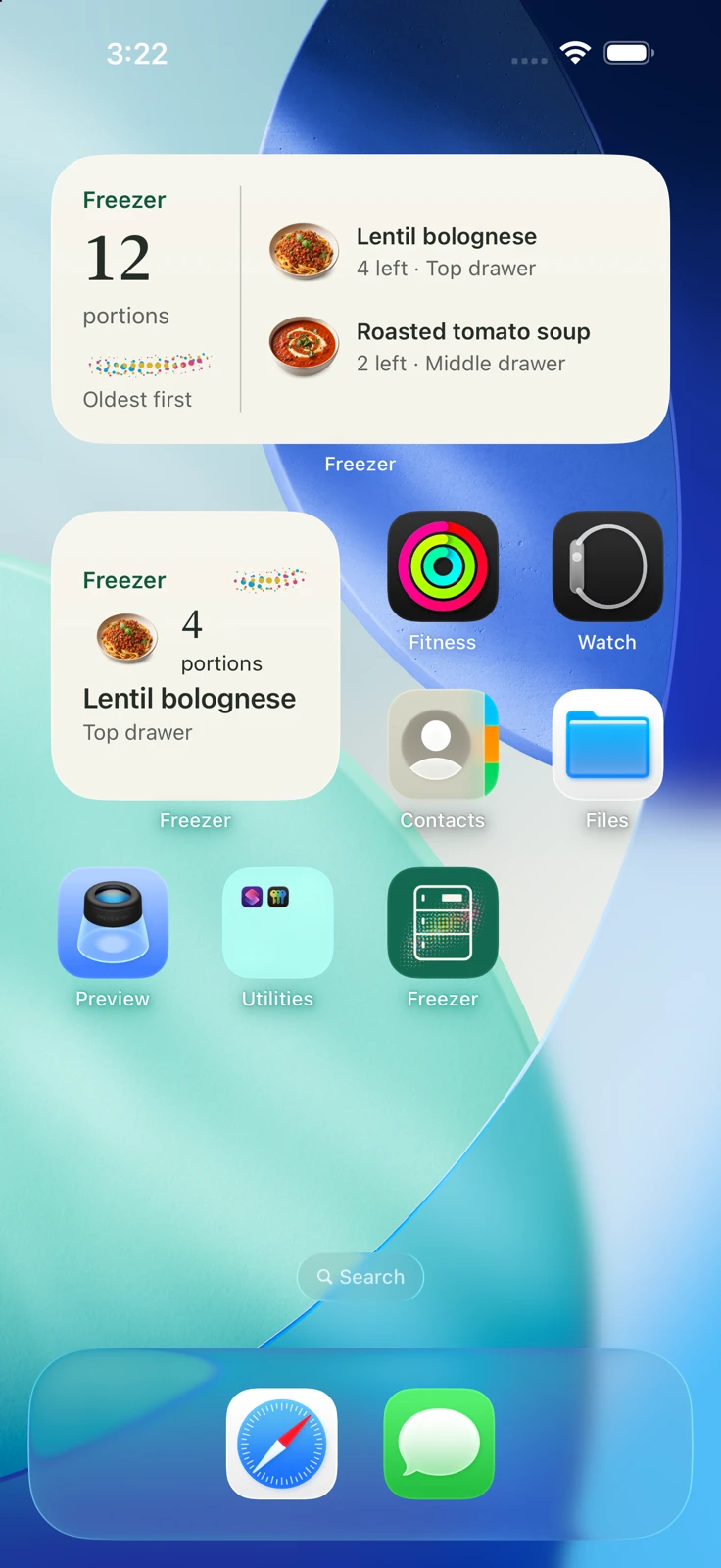
- Small and medium Home Screen widgets show the oldest batches, so they are eaten first.
- Backup
- The inventory works offline and needs no account. Export a full backup with photos, or a CSV file.
Try it
A sample batch. Use a portion, then take it back. Nothing here is saved.
Lentil bolognese
4 portions left
Screens
Availability
Freezer is in development for iPhone. It is not on the App Store or TestFlight yet, and no price has been announced.
Dates in the app are reminders you set for yourself. Freezer does not judge whether food is safe to eat.