Agent workspace
Humans.
A desktop workspace for coding agents, terminals, projects and shared memory.
The workspace
Why it was built
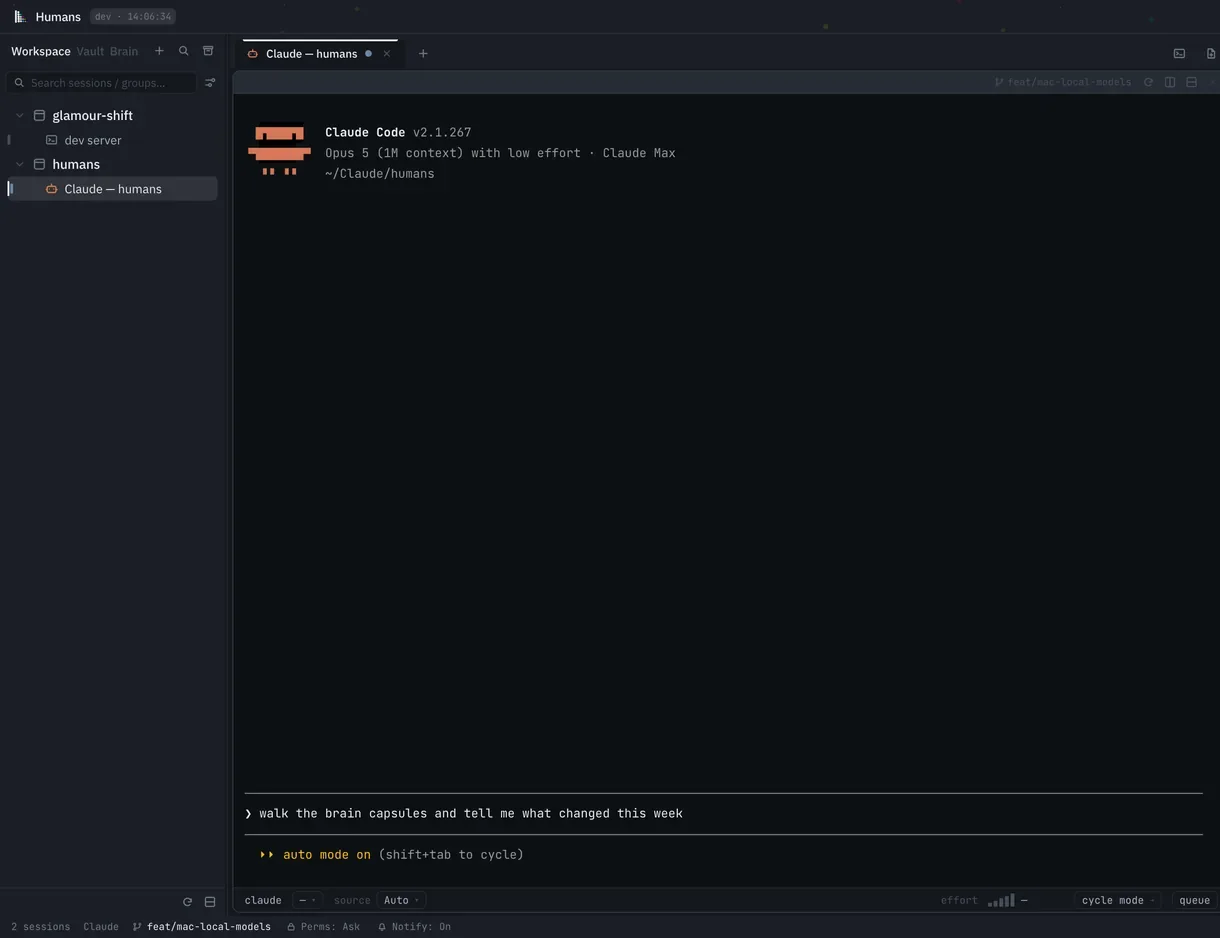
Agent work was spread across terminal windows, project folders and a separate collection of notes. Humans gives those parts one desktop home: sessions stay attached to projects, the underlying terminal remains available, and the memory around the work can be inspected in the same window. The intent is to make an agent's actions and context visible while keeping the operator in control of the command line.
What it does
Run shells and coding agents in project tabs. Each agent session has a prompt composer and a live record of tool calls, with the underlying command line available when you need it.
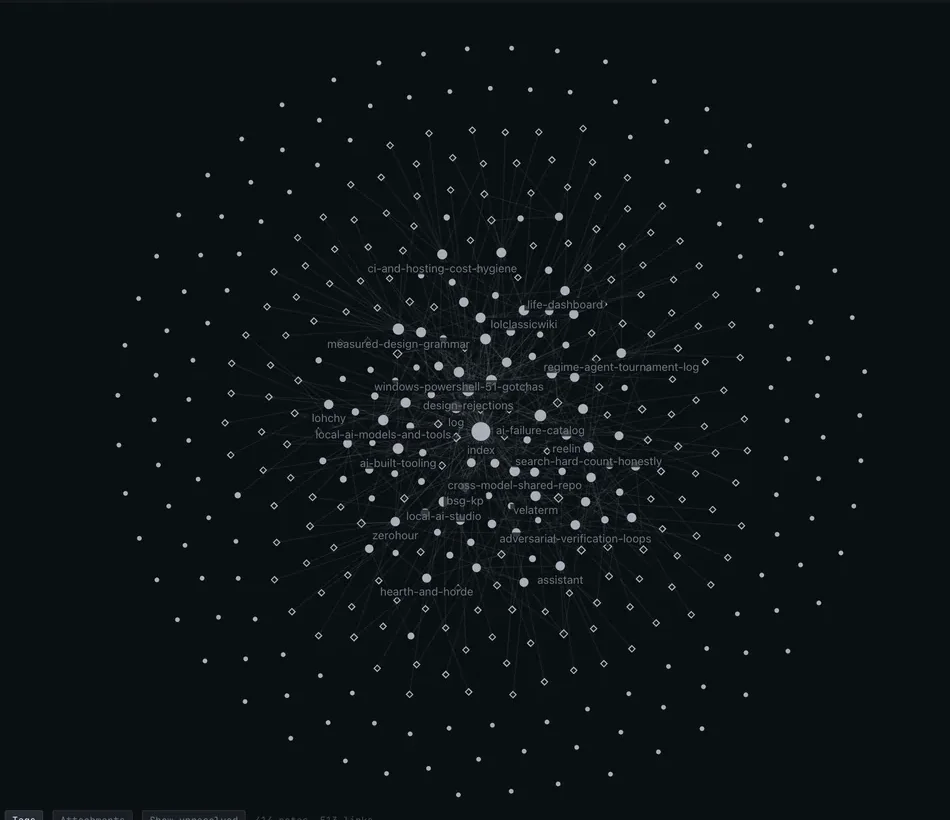
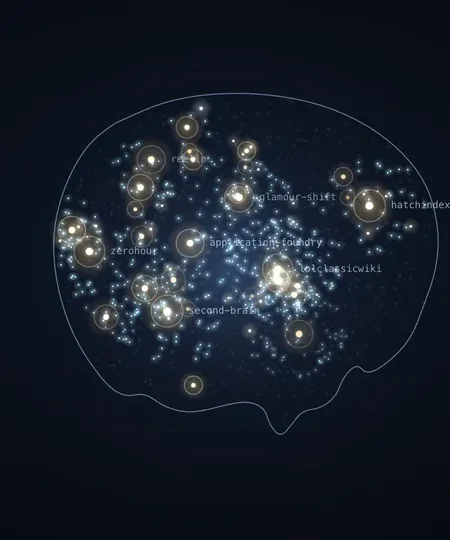
The Vault organizes local Markdown notes into folders, links and a graph. The Brain shows shared project memory and the sessions that contributed to it. Both views support search and let you inspect the files behind the interface.
How it's built
- The shell
- Tauri, with a Rust core, shipped as a release installer that bundles the interface. An Electron shell exists too and spawns the same Rust binary as a loopback sidecar, so both shells share one dispatch surface: a new command is written once.
- The front
- React with a single store and no router. What looks like navigation is a sidebar rail mode, centre-pane document tabs and a right-hand inspector.
- Access
- Allowlisted, never arbitrary. The Brain names an action or a query; Rust decides which executable, which script and which arguments. Nothing on the interface side can run a command it invents.
- Marks
- Pins and fades are kept per machine, outside the synced files, so one machine's pin never fights another's copy through version control.
- Colour
- Color distinguishes agent states, note folders and memory states within their respective views.
- The field
- A fixed pattern of cyan, magenta and yellow dots appears behind the title bar and in empty workspaces.
Availability
In daily use as a desktop workspace for coding agents. The Vault and Brain views read local files. The project began as a fork of an open-source terminal.
There is no public download or announced release date.