Local AI & creative tools
Local AI Studio.
A native Mac app for local AI chat, images, video and voice, with a workspace for coding agents.
Why it was built
Humans brought coding agents, projects, terminals and memory into one desktop workspace. Local AI Studio extends that idea onto the Mac and adds a mode for models running on the machine itself. The goal is to move from an agent session to an image, video, 3D, voice or chat task without searching through separate command-line tools and output folders.
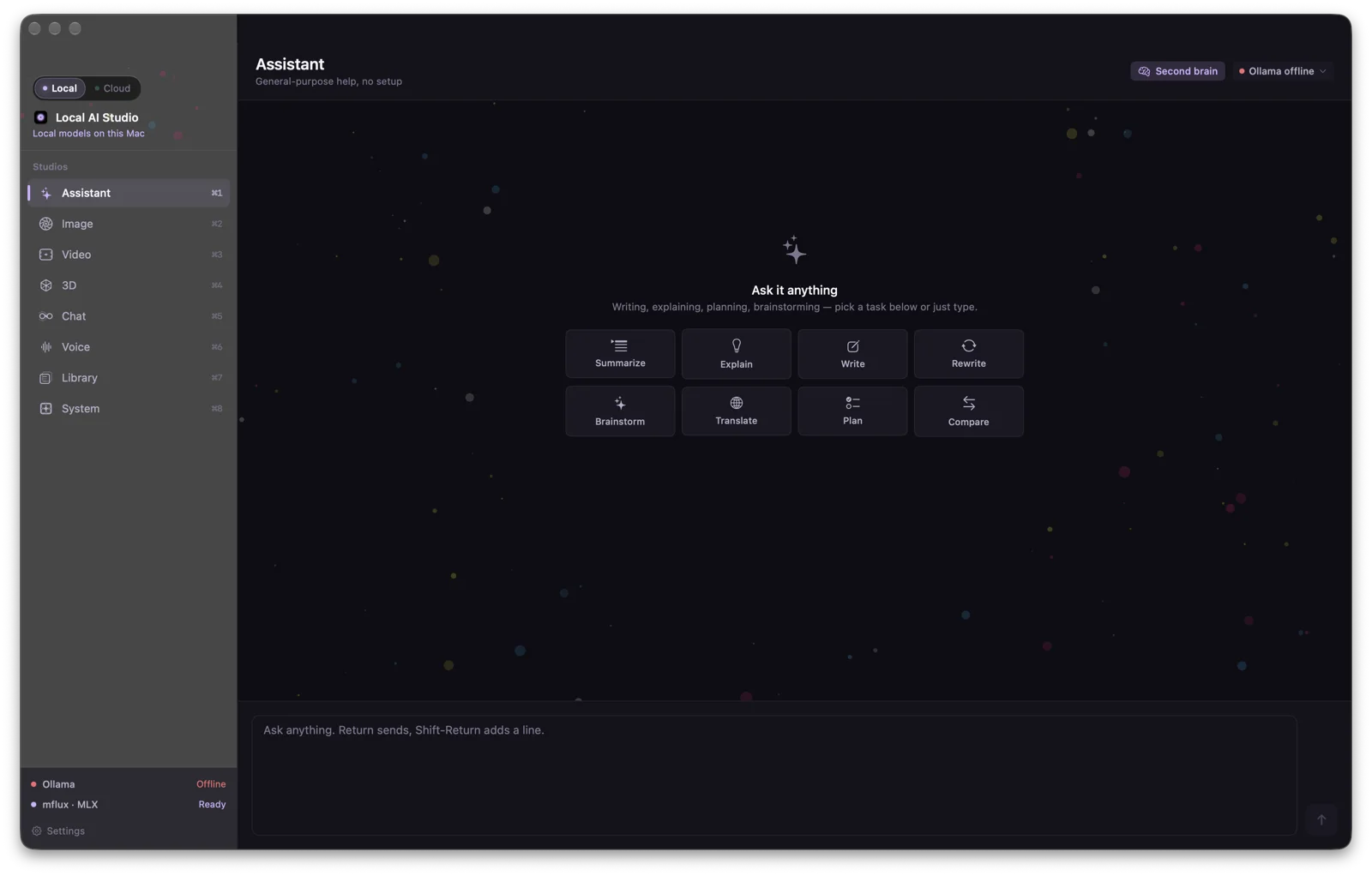
The mode switch at the top of the sidebar is deliberate: Local is for creation with on-device model runners; Cloud is for coding-agent sessions and the project context around them. Both use the same visual shell, but each has navigation suited to its work.
Local mode: eight studios
- Assistant
- General help for summarizing, explaining, writing, rewriting, brainstorming, translating, planning and comparing. It can consult the shared second brain before a turn when that switch is on.
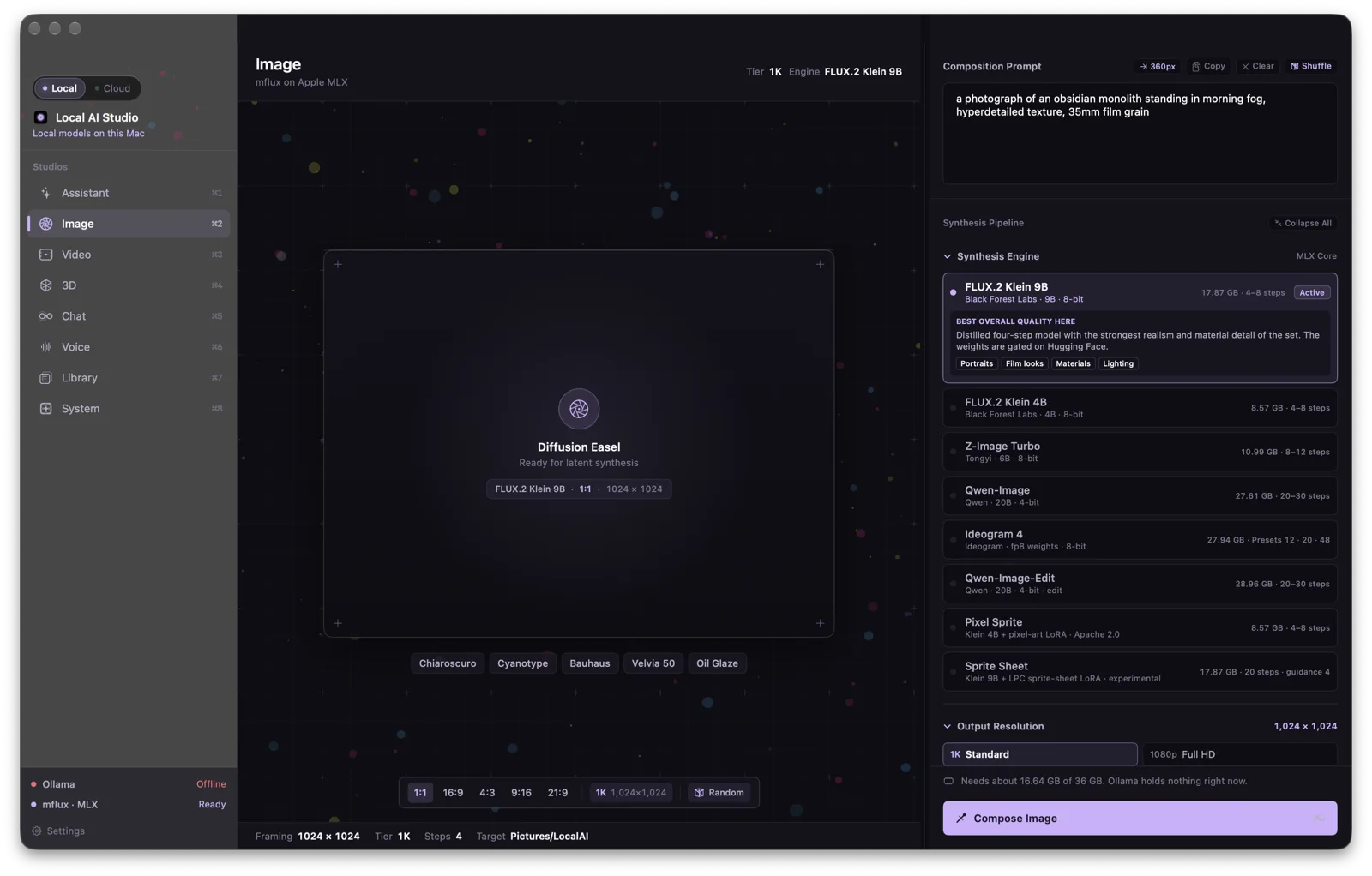
- Image
- A prompt and canvas for local image generation. The right inspector exposes engine choices, visual styles, framing, resolution, steps and seed. It also includes image-edit and sprite-oriented engine choices where their weights are available.
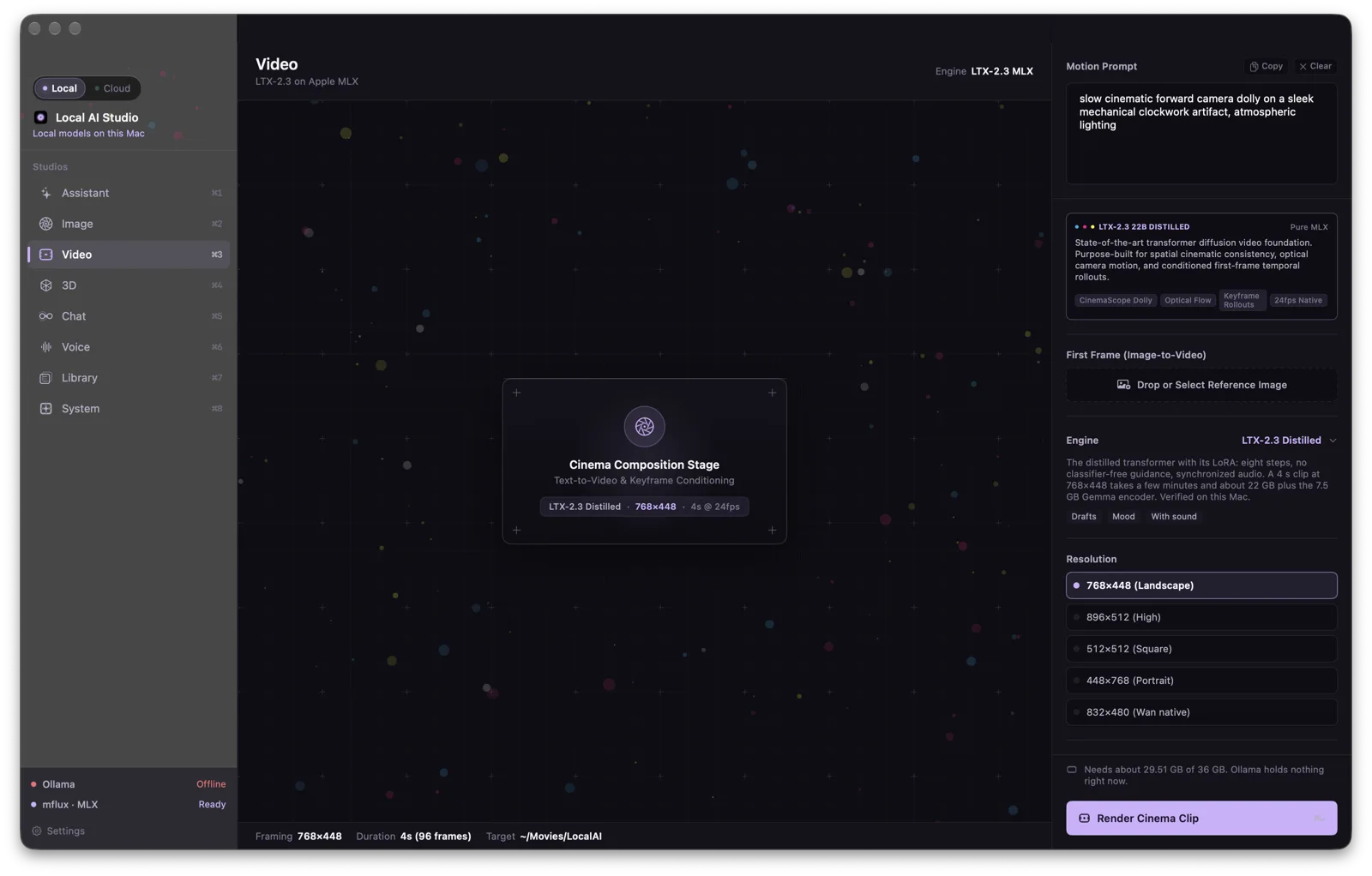
- Video
- Text-to-video and first-frame conditioning. The current view offers an LTX engine, reference image, frame size, duration and seed, then saves the rendered clip to a local media folder.
- 3D
- Creates mesh drafts or higher-quality 3D assets from an image, with a separate texture pass where supported by the selected engine.
- Chat
- Conversation with an Ollama model installed on the Mac. Model status, context controls, optional visual input and a second-brain lookup switch sit beside the conversation.
- Voice
- Speech generation and transcription tools. The voice workspace can turn text into speech, transcribe audio and bring a transcript back into the editor.
- Library
- A ledger of generated media so outputs can be found and opened again from the same workspace.
- System
- Checks local model and service readiness, memory pressure and the process stream. Missing or offline engines are identified before a render is started.
Cloud mode: agent work
- Agents
- Projects and coding-agent sessions in terminal panes, with a session inspector for source, model, usage, context and process state. Sessions can be split side by side. A cloud or local route can be chosen per supported session; switching routes relaunches and resumes the CLI.
- Brain
- The shared project memory, with capsules and retrieval that agents can use as evidence. Local Assistant and Chat also read from this source when their second-brain option is enabled.
- Sessions
- A transcript archive for finding, resuming or forking earlier coding-agent work.
The session interface includes choices for more than one agent, but availability depends on which command-line tools and accounts are actually installed. The site makes no claim that every listed agent has been run on this Mac.
Inside the studios
Availability
Installed and in development on an Apple Silicon Mac. These are captures of the current installed interface. Model availability varies by installed weights and local services; the app reports the difference between ready, missing and offline. There is no public download or announced release date.