Desktop workspace
Personal OS.
A Windows desktop app that brings daily priorities, incoming information and project context into one view.
Why it was built
A day can become a series of disconnected checks: calendar, incoming messages, project notes, system state and the tools needed to respond. Personal OS was built to give those sources a shared desktop surface and keep the next action visible. Its panels can sit beside ordinary Windows apps, rather than requiring a separate browser dashboard to stay open.
Each panel reports when its source is empty or unavailable.
What it does
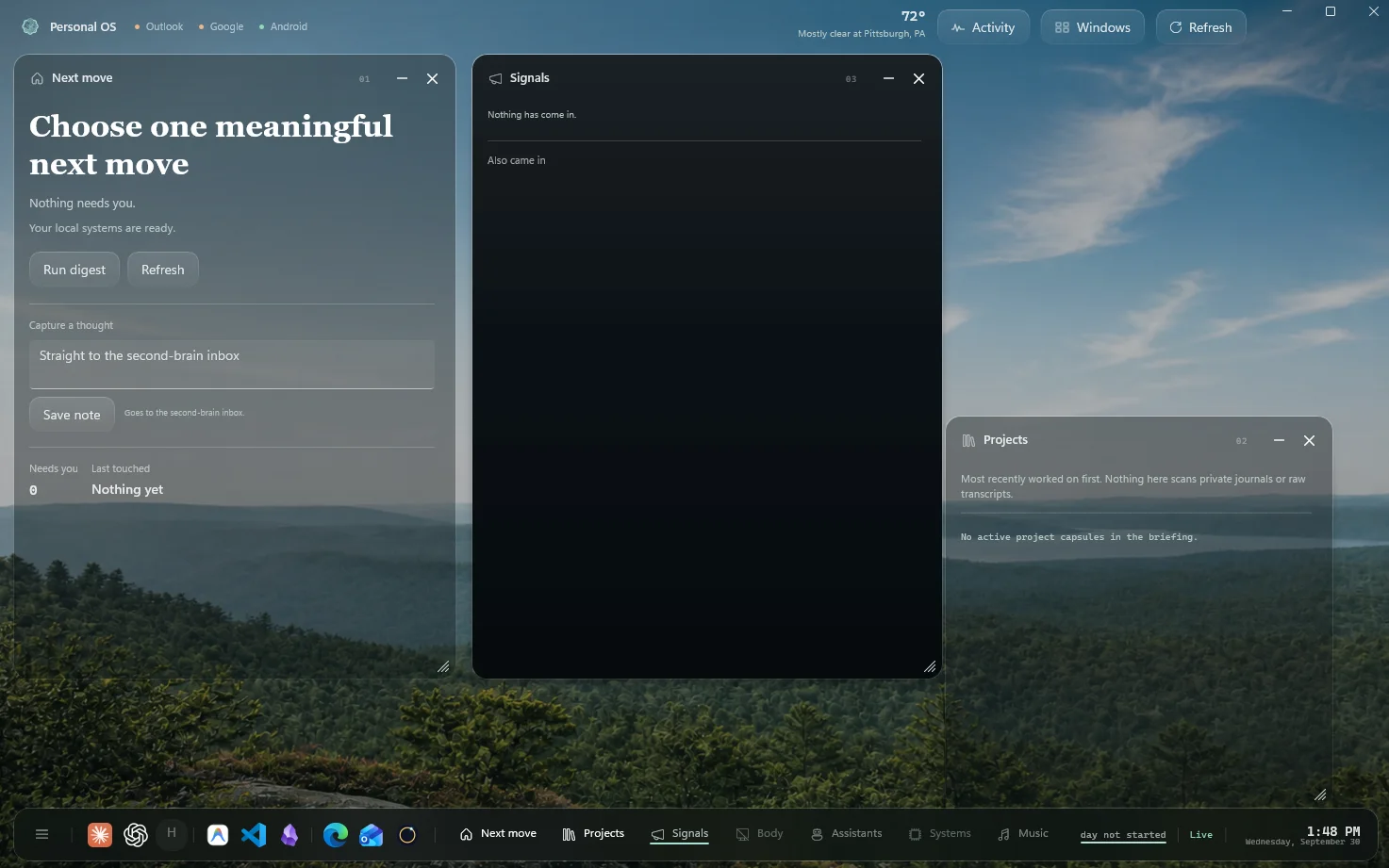
Personal OS brings a few day-to-day questions onto one desktop: what needs a next move, what has arrived, and which projects are active. The current shell places those answers in movable panels over a scenic background. A persistent dock opens the panels and other tools without leaving the desktop.
The Next move panel can run a digest and capture a thought into the second-brain inbox. Signals is the place for arrivals. Projects shows project capsules when they are available. Signals and Projects are empty in this capture.
Workspace
- At the top
- Source names for Outlook, Google and Android, weather, and controls for Activity, Windows and Refresh.
- On the desk
- Independent panels for Next move, Signals and Projects. The empty states say when nothing has arrived or no project capsule is active.
- At the foot
- A dock for panels, assistants and other desktop apps, plus day and system status.
Availability
Personal OS is a single-user Windows application in development. There is no public download. Available integrations depend on the machine and connected accounts.